Turning up the volume more often?
It may be time to get your hearing checked. AARP Hearing Solutions makes it simple. Find a provider today.
Can’t seem to power up your devices? Try these expert tips to get them going again.
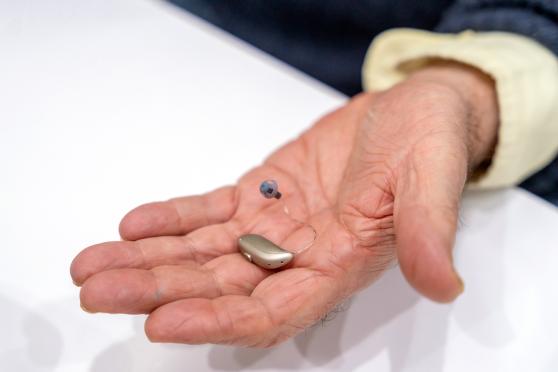
Hearing aids turn on in different ways. This is usually a simple process you probably don’t think twice about. Depending on the model, some turn on automatically when you take them out of their charging station. Others have an on-off button on the case.
But what happens if you pop in your hearing aids one day, and they don’t seem to turn on?
First, don’t panic, says Rebecca Younk, Au.D. She’s the chief audiologist at Associated Hearing Care with Beltone Technology near Minneapolis. It’s likely a small problem that’s easy to fix.
Here are the two main reasons why your hearing aids may not turn on — and how to troubleshoot.
It may be time to get your hearing checked. AARP Hearing Solutions makes it simple. Find a provider today.
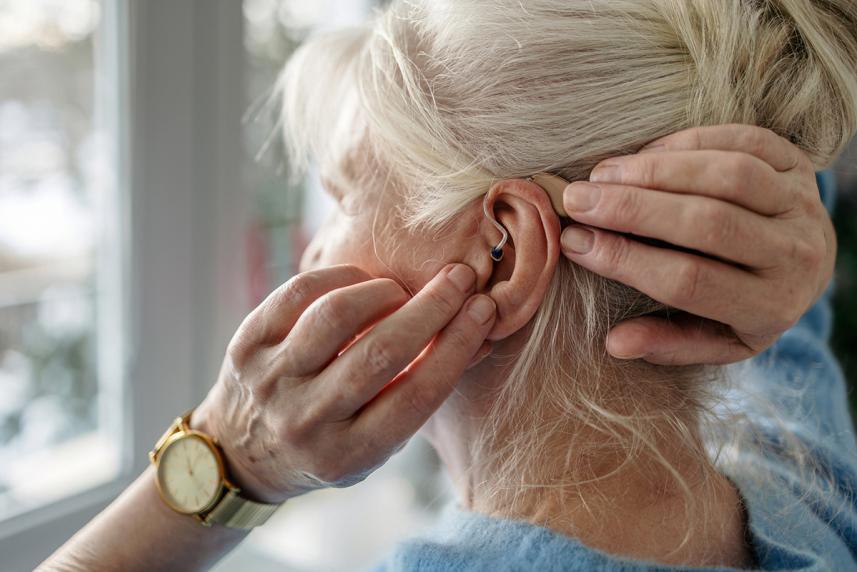
The receiver of your hearing aid — the part that goes into your ear canal — is protected by a dome and wax guard. These parts can get clogged with earwax. “The number one reason why hearing aids won’t turn on is earwax,” Younk says.
If you look at the app and see that your devices aren’t connected, then it may be a battery issue, says Younk.
If your hearing aids use rechargeable batteries: It could be that your devices didn’t get charged properly overnight.1
If your hearing aids use disposable batteries: First, make sure the battery door is closed correctly. Sometimes that fixes the issue right away. If not, it may be time to put in a fresh battery. These tiny button-sized batteries usually need to be replaced every 3 to 7 days.2
What if you’ve tried the steps above and your devices still won’t turn on? Then get in touch with your hearing care professional. They may want to look at your devices in person to see if repairs or adjustments are needed.
Most likely, it’s a minor issue, and one you can fix at home before going on with your day.
As an AARP® member, you get a trial period and upfront pricing — plus you can select the level of care that fits your needs. Learn more.
Sources
Clinically reviewed
Published June 16, 2026
Information is for educational purposes only and is not a substitute for the advice of a licensed medical provider. Consult your provider prior to making changes to your lifestyle or health care routine.
AARP Hearing Solutions is available to all AARP members and does not require a health insurance plan from UnitedHealthcare. The AARP hearing program discount cannot be combined with any other discounts, promotions, coupons or hearing aid benefit plans unless noted herein. Products or services that are reimbursable by federal programs including Medicare and Medicaid are not available on a discounted or complimentary basis. AARP commercial member benefits are provided by third parties, not by AARP or its affiliates. Providers pay a royalty fee to AARP for the use of its intellectual property. These fees are used for the general purposes of AARP. Some provider offers are subject to change and may have restrictions. Please contact the provider directly for details. UnitedHealthcare Hearing is provided through UnitedHealthcare, offered to existing members of certain products underwritten or provided by UnitedHealthcare Insurance Company or its affiliates to provide specific hearing aid discounts. This is not an insurance nor managed care product, and fees or charges for services in excess of those defined in program materials are the member's responsibility. UnitedHealthcare does not endorse nor guarantee hearing aid products/services available through the hearing program. This program may not be available in all states or for all group sizes. Components subject to change.
Hearing aids purchased in the Silver technology level will receive 1 follow-up visit.